










EBOOK IN LINGUA STRANIERA





Teach Yourself VISUALLY Excel 365

19,99 €
+200
punti 
Venditore: Feltrinelli

Acquista online
Scaricabile subito
Articolo acquistabile con Carta del Docente

Articolo acquistabile con Carta Cultura Giovani e Carta del Merito

Articolo acquistabile con Carta della Cultura

Dati e Statistiche
 Salvato in 0 liste dei desideri
Salvato in 0 liste dei desideri
Teach Yourself VISUALLY Excel 365
Scaricabile subito
19,99 €
19,99 €
Scaricabile subito




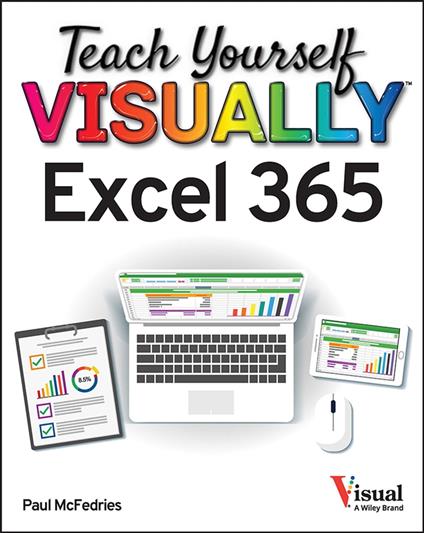
Excel-erate your Excel 365 knowledge with the celebrated Teach Yourself VISUALLY series In Teach Yourself VISUALLY: Excel 365, veteran tech educator and writer Paul McFedries delivers a practical, step-by-step guide to using the latest version of the world’s most popular spreadsheet app. The book is filled with easy two-page lessons containing large-size screenshots and walkthroughs demonstrating common and useful tasks in Excel 365. You’ll learn how to present, analyze, visualize, and organize your data, as well as how to: Create and fill spreadsheets, charts, tables, and PivotTables Filter and sort your data, use and create formulas, and organize your information Visualize your data with a variety of effective charts, graphs, and more A can’t-miss handbook perfect for anyone looking for straightforward and easy-to-follow tutorials on basic and advanced Excel techniques, Teach Yourself VISUALLY: Excel 365 offers users of previous Excel versions—and complete Excel newbies—a clear roadmap to mastering Excel.
-
Autore:
-
Anno edizione:2022
-
Editore:
-
Formato:
-
Lingua:Inglese
Compatibilità:
Tutti i dispositivi (eccetto Kindle) Scopri di più
Layout:
Reflowable
EAN:
9781119933649

Formato:
Gli eBook venduti da Feltrinelli.it sono in formato ePub e possono essere protetti da Adobe DRM. In caso di download di un file protetto da DRM si otterrà un file in formato .acs, (Adobe Content Server Message), che dovrà essere aperto tramite Adobe Digital Editions e autorizzato tramite un account Adobe, prima di poter essere letto su pc o trasferito su dispositivi compatibili.
Cloud:
Gli eBook venduti da Feltrinelli.it sono sincronizzati automaticamente su tutti i client di lettura Kobo successivamente all’acquisto. Grazie al Cloud Kobo i progressi di lettura, le note, le evidenziazioni vengono salvati e sincronizzati automaticamente su tutti i dispositivi e le APP di lettura Kobo utilizzati per la lettura.
Clicca qui per sapere come scaricare gli ebook utilizzando un pc con sistema operativo Windows
