










EBOOK IN LINGUA STRANIERA





Beginning Fedora Desktop

49,91 €
+500
punti 
Venditore: Feltrinelli

Acquista online
Scaricabile subito
Articolo acquistabile con Carta del Docente

Articolo acquistabile con Carta Cultura Giovani e Carta del Merito

Articolo acquistabile con Carta della Cultura

Dati e Statistiche
 Salvato in 0 liste dei desideri
Salvato in 0 liste dei desideri
Beginning Fedora Desktop
Scaricabile subito
49,91 €
49,91 €
Scaricabile subito




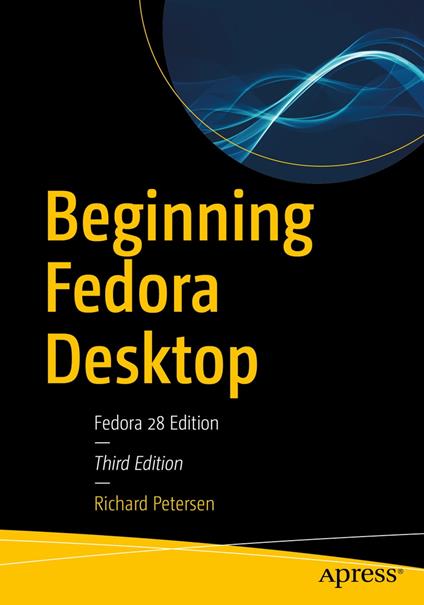
Get the most out of Fedora 28 Desktop, including free Office suites, editors, e-book readers, music and video applications. In addition to those features, you’ll also work with codecs, email clients, web browsers, FTP and BitTorrent clients, VoIP clients, and IM applications. The major Fedora 28 desktop spins are covered in detail, including the Plasma desktop (KDE), Cinnamon, Mate-Compiz, LXDE, Xfce, and LXQT. This is your complete guide to using the Fedora 28 Desktop Linux release as your daily driver for multimedia, productivity, social networking, administrative tasks, and more. Author and Linux expert Richard Petersen delves into the operating system as a whole and offers you a complete treatment of Fedora 28 Desktop configuration and use. With Beginning Fedora Desktop at your side, you’ll discover how to install and update the Fedora 28 Desktop, as well as access various software repositories. You’ll also learn which applications perform which functions, how to manage software, use of the desktop configuration tools, useful shell commands, and both the system administration and network tools. What You'll Learn Review the available desktop choices, including GNOME, KDE, and alternative desktops Administer your system, add users, manage printers and perform backups Configure network connections and firewalls with FirewallD Access network resources with Samba Who This Book Is For Novice to intermediate users who are looking to install Fedora 20 as their primary computing environment.
-
Autore:
-
Anno edizione:2018
-
Editore:
-
Formato:
-
Lingua:Inglese
Compatibilità:
Tutti i dispositivi (eccetto Kindle) Scopri di più
Layout:
Reflowable
EAN:
9781484238820

Formato:
Gli eBook venduti da Feltrinelli.it sono in formato ePub e possono essere protetti da Adobe DRM. In caso di download di un file protetto da DRM si otterrà un file in formato .acs, (Adobe Content Server Message), che dovrà essere aperto tramite Adobe Digital Editions e autorizzato tramite un account Adobe, prima di poter essere letto su pc o trasferito su dispositivi compatibili.
Cloud:
Gli eBook venduti da Feltrinelli.it sono sincronizzati automaticamente su tutti i client di lettura Kobo successivamente all’acquisto. Grazie al Cloud Kobo i progressi di lettura, le note, le evidenziazioni vengono salvati e sincronizzati automaticamente su tutti i dispositivi e le APP di lettura Kobo utilizzati per la lettura.
Clicca qui per sapere come scaricare gli ebook utilizzando un pc con sistema operativo Windows
