










EBOOK IN LINGUA STRANIERA





Exploring Autodesk Revit 2026 for Architecture, 22nd Edition

33,49 €
+330
punti 
Venditore: Feltrinelli

Acquista online
Scaricabile subito
Articolo acquistabile con Carta del Docente

Articolo acquistabile con Carta Cultura Giovani e Carta del Merito

Articolo acquistabile con Carta della Cultura

Abbonati a Kobo plus per avere accesso illimitato a questo contenuto

Dati e Statistiche
 Salvato in 0 liste dei desideri
Salvato in 0 liste dei desideri
Exploring Autodesk Revit 2026 for Architecture, 22nd Edition
Scaricabile subito
33,49 €
33,49 €
Scaricabile subito




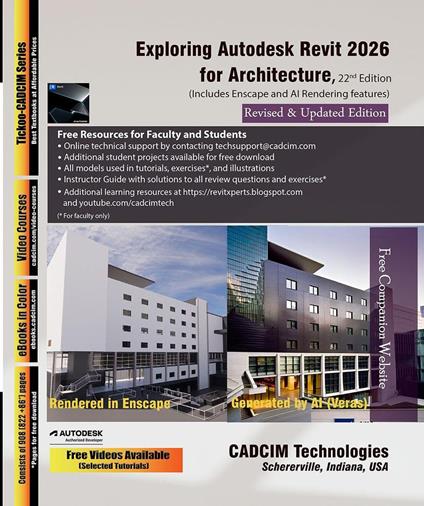
Exploring Autodesk Revit 2026 for Architecture is a comprehensive book written to cater to the needs of the students and the professionals who are involved in Building Information Modeling (BIM) Profession. Revit 2026 book is a gateway to power, skill, and competence in the field of architecture and interior presentations, drawings, and documentations. In this Revit book, the author has emphasized on the concept of designing, creating families, massing, documentation, rendering orthographic/perspective views of building and usage of other advanced tools. In addition, Revit 2026 for Architecture book covers the description of various stages involved in rendering the model in Enscape plug-in. In this book, the chapters have been punctuated with tips and notes that provide additional information on the concept and the functioning of the tools and commands is explained with the help of suitable examples for better understanding. The simple and lucid language used in Revit 2026 book makes it a ready reference for both beginners and intermediate users. This book is also an ideal guide for students who are appearing for Autodesk Revit Certified Professional and Revit Certified User Exams, especially for Architecture. Also, it can be used as a guide for students and professionals who are planning to make their career in BIM industry. Table of Contents Chapter 1: Introduction to Autodesk Revit 2026 for Architecture Chapter 2: Starting an Architectural Project Chapter 3: Placing Architectural Walls Chapter 4: Adding Doors, Windows, and Openings Chapter 5: Modifying Building Elements Chapter 6: Working with Datum Plane and Creating Standard Views Chapter 7: Adding Floors, Roofs, Ceilings, and Rooms Chapter 8: Adding Stairs, Railings, and Ramps Chapter 9: Designing Site Elements and Topography Chapter 10: Working with Conceptual Masses and Custom Families Chapter 11: Applying Annotations, Tags, and Dimensions Chapter 12: Developing Construction Details and Generating Schedules Chapter 13: Composing and Printing Drawing Sheets Chapter 14: Creating and Managing 3D Views Chapter 15: Rendering and Creating Walkthroughs Chapter 16: Exploring Advanced Revit Features * Student Project * Index (* For free download) Salient Features Detailed explanation of architectural tools of Autodesk Revit Heavily illustrated text Introduction to Enscape Rendering and AI Tool Real-world structural projects given as tutorials Tips and Notes throughout the textbook Self-Evaluation Tests, Review Questions, and Exercises at the end of the Chapters BIM Concepts for tools
-
Autore:
-
Anno edizione:2025
-
Editore:
-
Formato:
-
Lingua:Inglese
Compatibilità:
Tutti i dispositivi (eccetto Kindle) Scopri di più
Layout:
Reflowable
EAN:
9781640573369

Formato:
Gli eBook venduti da Feltrinelli.it sono in formato ePub e possono essere protetti da Adobe DRM. In caso di download di un file protetto da DRM si otterrà un file in formato .acs, (Adobe Content Server Message), che dovrà essere aperto tramite Adobe Digital Editions e autorizzato tramite un account Adobe, prima di poter essere letto su pc o trasferito su dispositivi compatibili.
Cloud:
Gli eBook venduti da Feltrinelli.it sono sincronizzati automaticamente su tutti i client di lettura Kobo successivamente all’acquisto. Grazie al Cloud Kobo i progressi di lettura, le note, le evidenziazioni vengono salvati e sincronizzati automaticamente su tutti i dispositivi e le APP di lettura Kobo utilizzati per la lettura.
Clicca qui per sapere come scaricare gli ebook utilizzando un pc con sistema operativo Windows
